Design the tag. See it as you go.
Barcode tags
Fully customizable tags. Scan them at the counter.
From ₹399/month · 15 days free, no card
- 5 sizesready to use — or your own in mm
- 3 codesCode128, Code39 or QR
- 9 fieldsswitched on or off, on either half
- 1 scanputs the piece on the bill
A tag for every piece.
Get the highlights.

Scan the tag. The piece is on the bill.

Five sizes, or your own.
Everything the customer asks, on the tag.
The making charge, in a code only you read.
Your day, before and after.
The old way
- Hand-written tags that smudge and fade
- Weighing the piece again at the counter
- A weight read wrong, and billed wrong
With 24K
- Printed tags: code, purity, weight and HUID
- One scan and the piece is on the bill
- Weights from the tag, never from memory
Your tag. Your way.
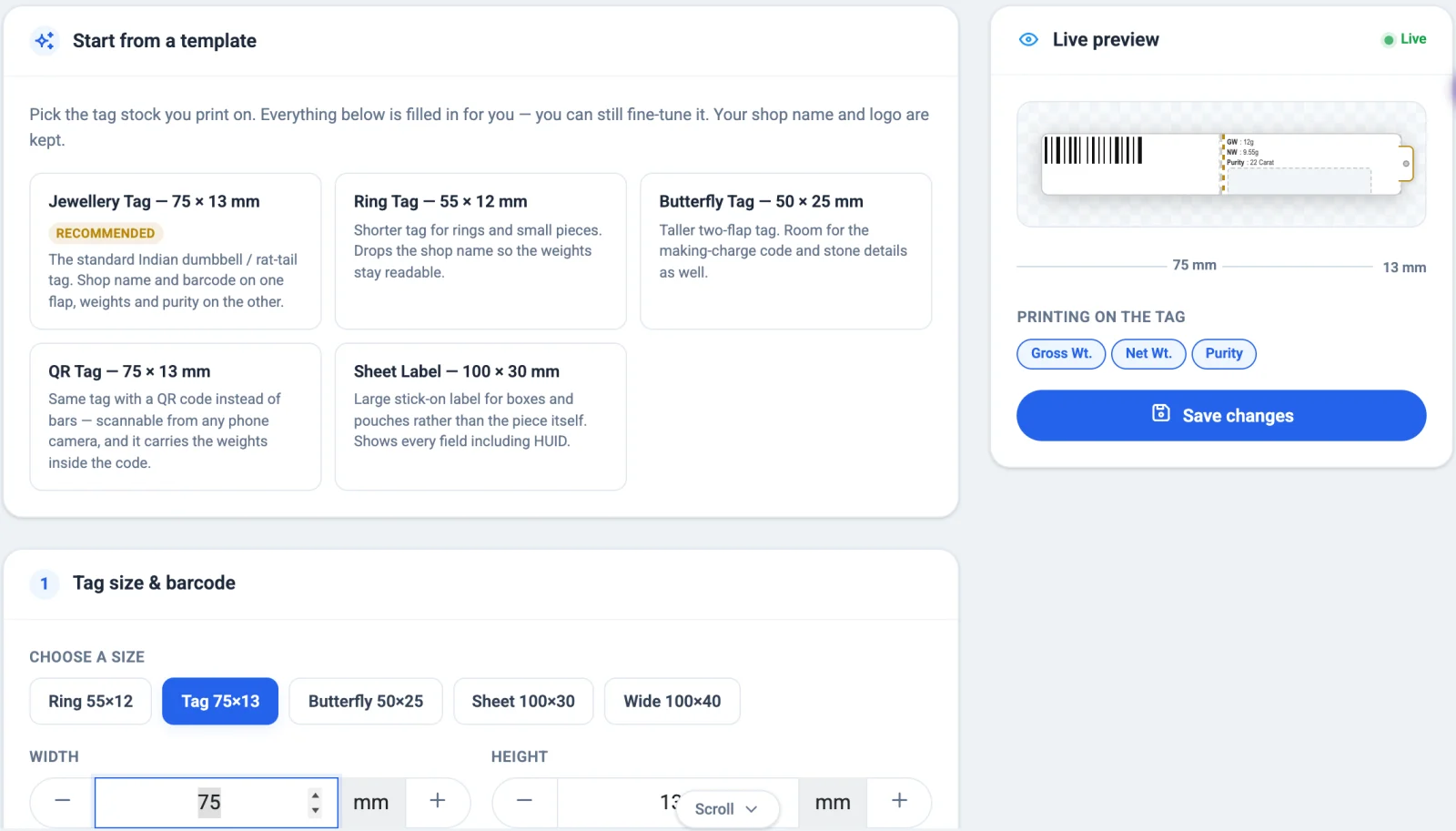
Pick the size, the code and what prints. Switch each field on or off and drag it to the half of the tag where it belongs, add your shop's name and logo, and see the tag change as you go. Every new piece then prints the same way, straight from the item, and a scan at the counter puts it on the bill with its weights.
Made for a jeweller's counter.
Drag fields where you want them. Item code, purity, weights, stones, HUID, making code, logo and name — each on or off, on either half.
Your name and logo. Your shop's name and logo on the tag, sized to fit.
Stones on the tag. Stone details print with the weights, so gross and net are clear at a glance.
Making charge in code. The making charge prints as letters your staff can read and customers can't.
Straight to the label printer. Tags go to the printer you set for labels in Settings, at the size you chose.
Scan at billing. Scan the tag at the counter and the piece is on the bill, with its weights and purity.
Tags in three steps.
- 1Design once
Settings → Barcode: pick a template, switch fields on, drag them to either half.
- 2Print
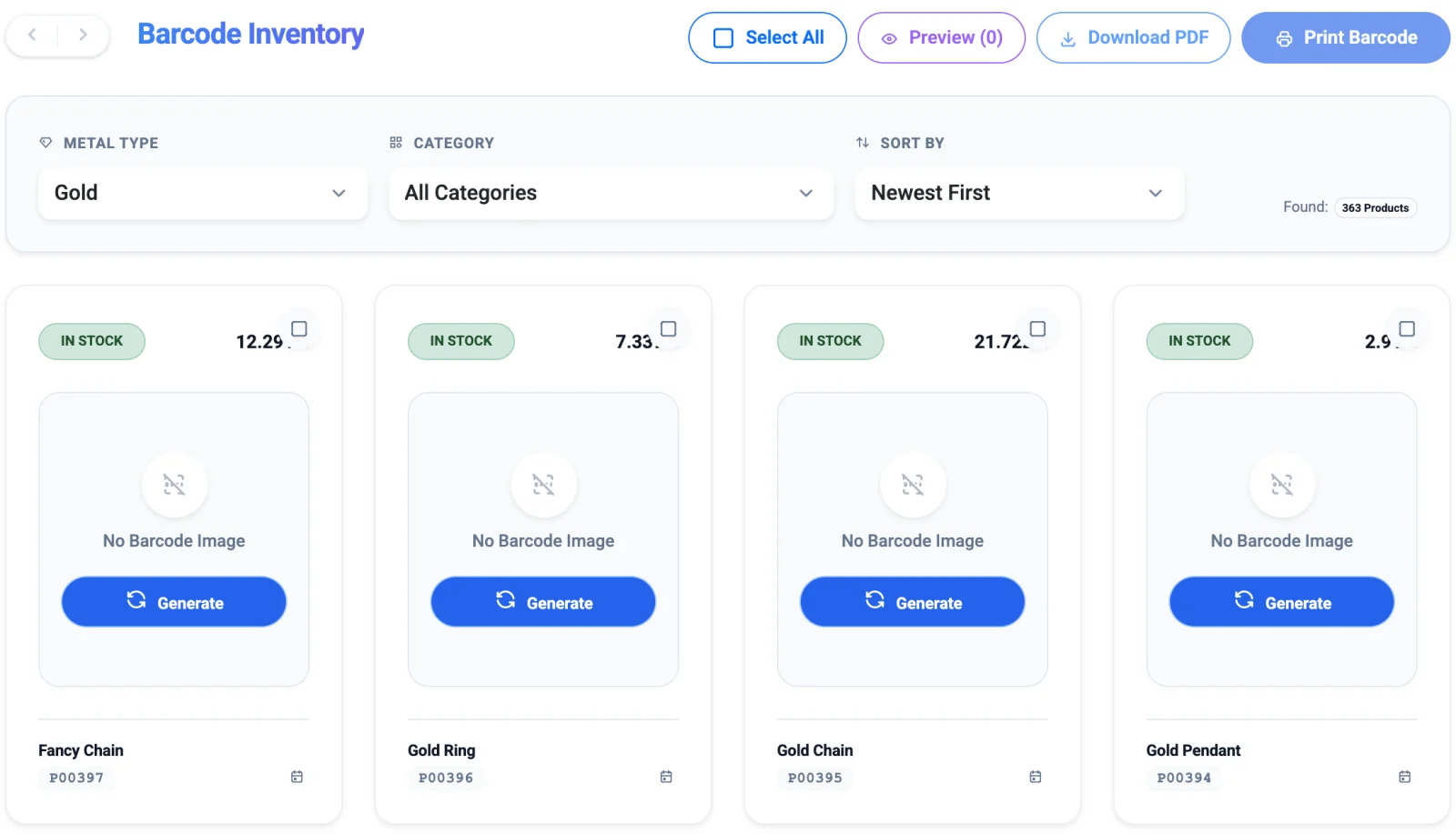
Barcode inventory: select the pieces, preview, print to the label printer or save a PDF.
- 3Scan at the counter
Scan the tag on a new bill — the piece, weight and purity fill in.
Why shops switch.
| What you need | Paper register | Basic billing app | 24K |
|---|---|---|---|
| Printed tags | — | Basic | |
| Your size and your fields | — | Fixed | |
| QR or barcode | — | One kind | |
| HUID and purity on the tag | Hand-written | Varies | |
| Making charge in code | Hand-written | — | |
| Scan to bill | — | Varies |
See it on your own counter.
A free 15-minute demo on WhatsApp — in Hindi or English. We show it with your kind of bills, not a script.
Mon–Sat, 10am–7pm ISTYour data is private property.
24K keeps your shop's records with you, and decides who at the counter sees what. The licence is the only thing that talks to us.
On your own computer. On the desktop app, bills, girvi, khata and stock are stored on the shop's PC. Billing carries on with the internet down.
Staff see only their part. The owner signs in with a password, staff with their own PIN, and each role opens only the screens it needs.
Backups you own. Back up to your own Google Drive, in a private folder only 24K can read on your behalf. Nobody else has a copy.
A licence, not your ledger. The only thing 24K checks with our servers is that your plan is active. Your customers, rates and totals are never sent.
Questions? Answers.
Can I design my own tag?
Yes. Choose one of five sizes or type your own in millimetres, pick Code128, Code39 or QR, switch each field on or off and drag it to either half of the tag. You see the tag change as you go.
What can print on a tag?
Item code, the barcode or QR, purity, gross and net weight, stone details, HUID, a coded making charge, and your shop's name and logo.
Barcode or QR — which should I use?
Either works with a scanner at billing. QR fits in a smaller space; a barcode reads easily with a simple scanner. You can change it any time.
Do I need a special printer?
A label printer for rolls of tags, or a normal printer with A4 sheets of labels. Set which printer prints labels once in Settings.
Does it support RFID?
Not yet. Barcode and QR tags are supported today.