Find anyone. See what they owe. Act on it.
Command bar
Find anything. Do anything. One key.
From ₹399/month · 15 days free, no card
- Ctrl Kopens it, on any page
- Ctrl 1–9jumps straight to a row
- 6new-bill shortcuts, from anywhere
- Offlineit searches the books on your computer
One box for the whole shop.
Get the highlights.

Type the way you talk.
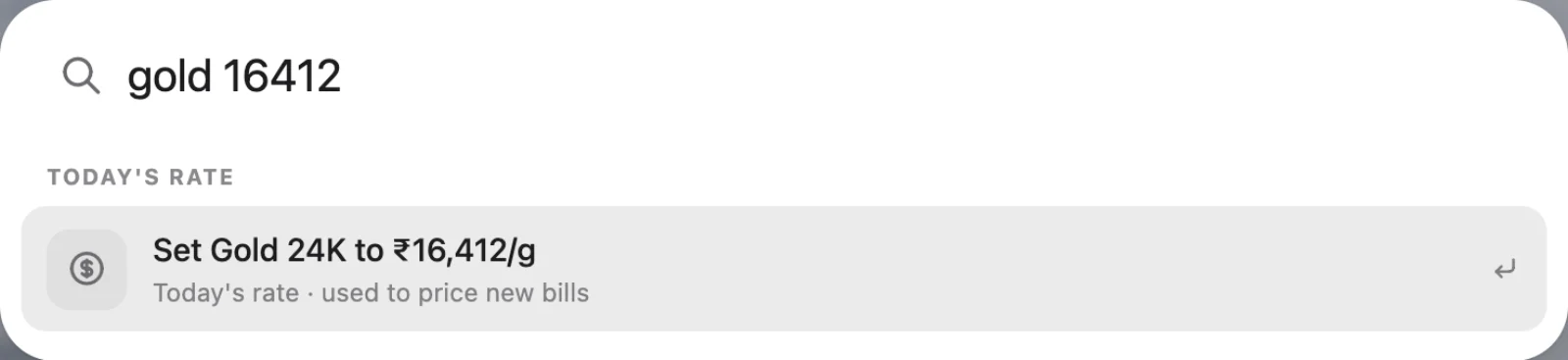
Today's rate, set in one line.
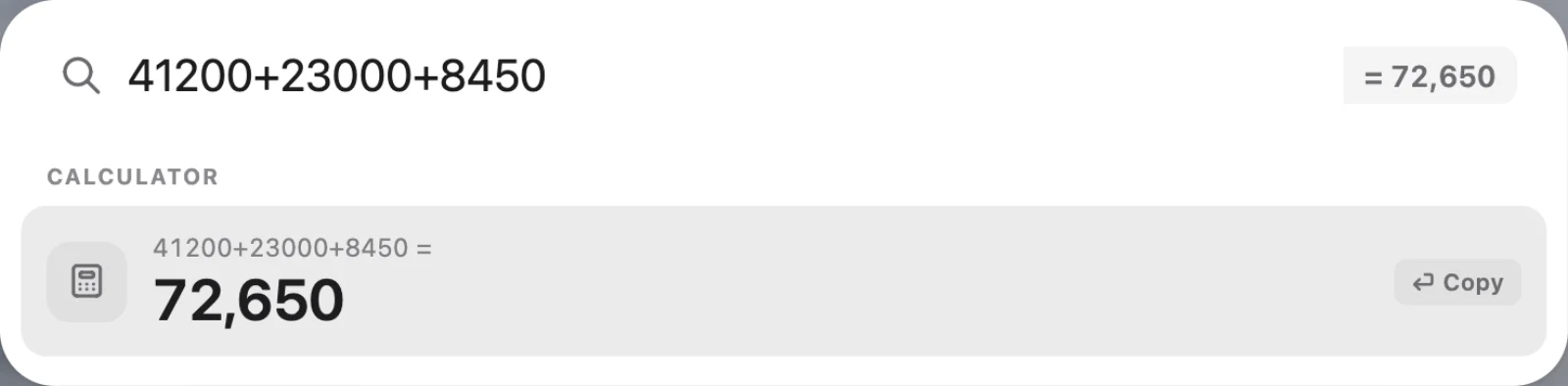
A sum without the calculator.
New bill from anywhere. Two keys.
Your day, before and after.
The old way
- Menu after menu to find one customer
- Opening the khata to see what someone owes
- A calculator next to the keyboard
With 24K
- Ctrl K, a few letters, done
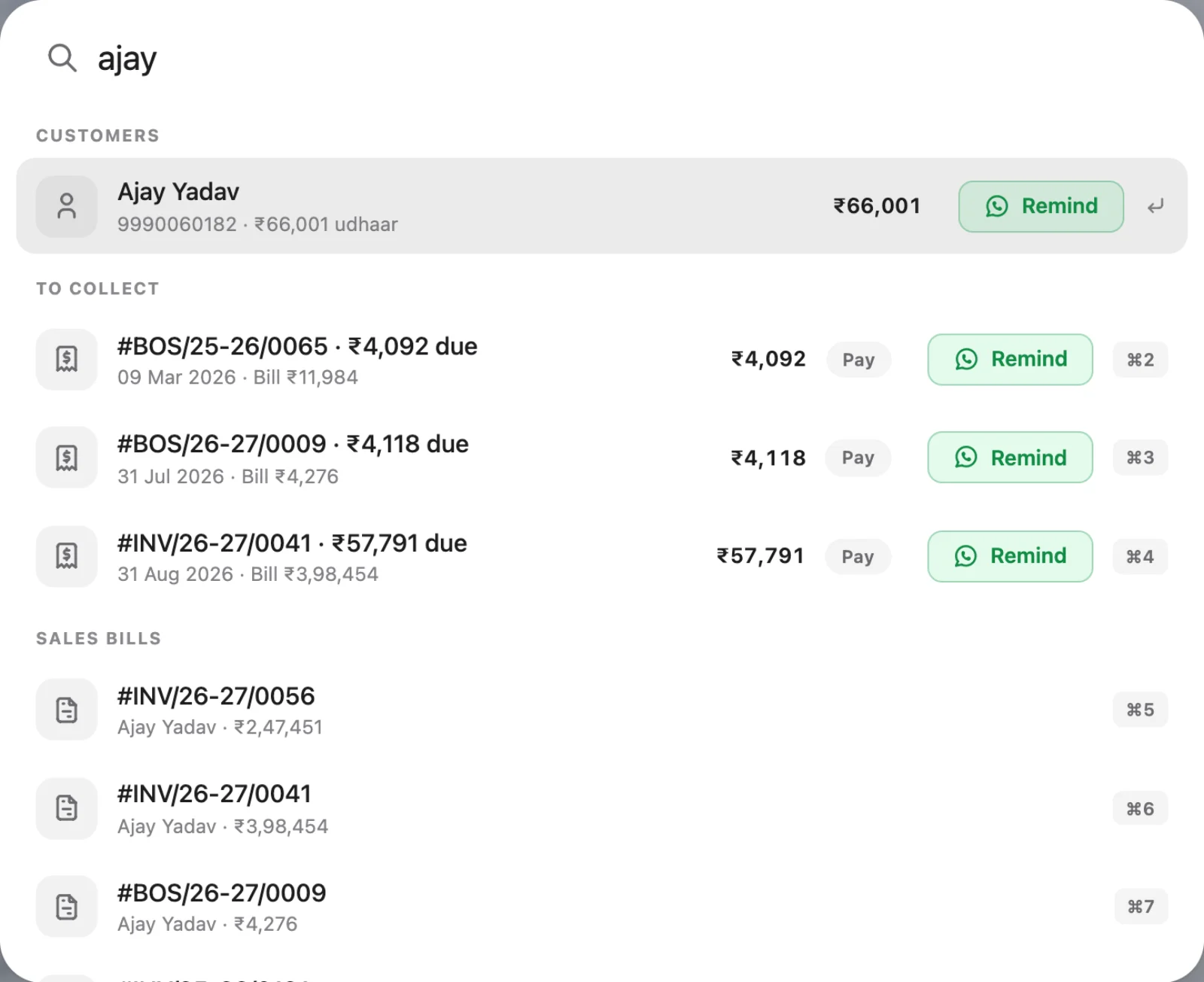
- What they owe, with Pay and Remind beside it
- Sums and today's rate in the same box
Your hands never leave the keyboard.
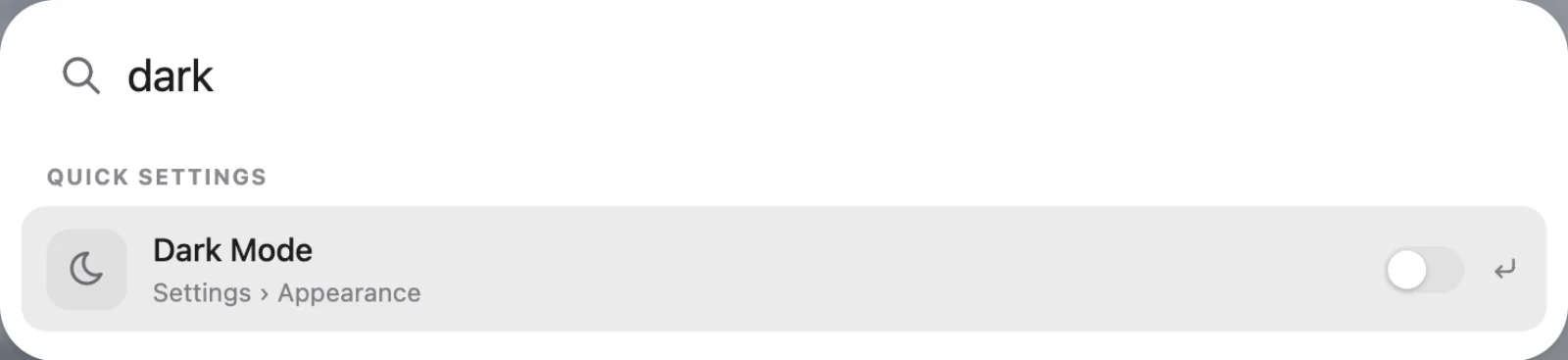
A busy counter doesn't have time for menus. Press Ctrl K, type a few letters of a name, a code or a word, and the customer, the bill or the piece is there — with what they owe and the next step beside it. Set today's rate, add up a few amounts, switch the printer or turn on dark mode without leaving the page you're on.
Small things that save the day.
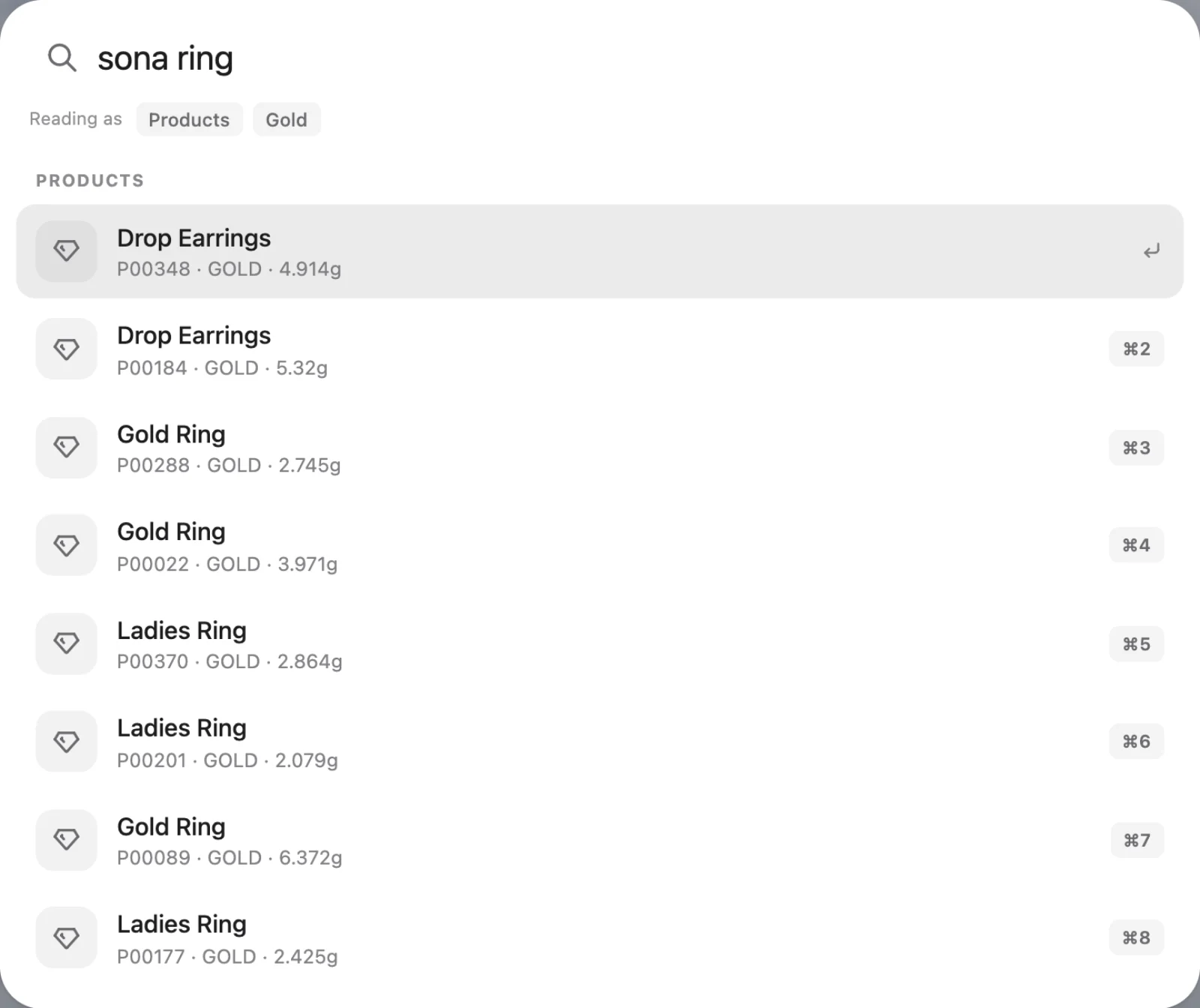
Everything in one box. Customers, suppliers, karigars, products, bills, girvi, dues, rates, pages and settings.
Hinglish understood. Grahak, sona, chandi and the shop's own words narrow the search, like you'd say it.
A calculator built in. Type a sum and get the answer in Indian commas, ready to copy.
Set the rate in a line. Type "gold 16412" or "chandi 95" and today's 24K or silver rate is set, without opening the rates page.
Your last searches. The bar remembers your last six, so the customer you just served is one key away.
New bill, two keys. Ctrl Shift S starts a sale, B a purchase, E an old gold exchange — from any page.
Faster than searching today.
| What you need | Paper register | Basic billing app | 24K |
|---|---|---|---|
| Find any customer, bill or piece | Flip pages | Menu by menu | |
| See dues while you search | — | — | |
| Hinglish words understood | — | — | |
| Set today's rate in a line | — | — | |
| Calculator built in | — | — | |
| Works with no internet | Varies |
See it on your own counter.
A free 15-minute demo on WhatsApp — in Hindi or English. We show it with your kind of bills, not a script.
Mon–Sat, 10am–7pm ISTYour data is private property.
24K keeps your shop's records with you, and decides who at the counter sees what. The licence is the only thing that talks to us.
On your own computer. On the desktop app, bills, girvi, khata and stock are stored on the shop's PC. Billing carries on with the internet down.
Staff see only their part. The owner signs in with a password, staff with their own PIN, and each role opens only the screens it needs.
Backups you own. Back up to your own Google Drive, in a private folder only 24K can read on your behalf. Nobody else has a copy.
A licence, not your ledger. The only thing 24K checks with our servers is that your plan is active. Your customers, rates and totals are never sent.
Questions? Answers.
How do I open the command bar?
Press Ctrl K on Windows (⌘K on a Mac) from any page, or click the search box at the top. Press Esc to close it.
What can I find with it?
Customers, suppliers, karigars, products, sales and purchase bills, girvi, what customers owe and what you owe, today's rate, pages and settings.
Does it understand Hindi words?
Yes. Words like grahak, sona and chandi narrow the search, and it follows your shop's own words from Settings → Language.
Can I use it without a mouse?
Yes. Arrow keys move, Enter opens, Ctrl 1–9 jumps to a row, and Ctrl Shift S, B, P, U, O and E start a new sale, purchase, product, customer, order or old gold exchange.
Does it work offline?
Yes. It searches the books on your own computer, so it works with no internet.